30-Second Quick Answer
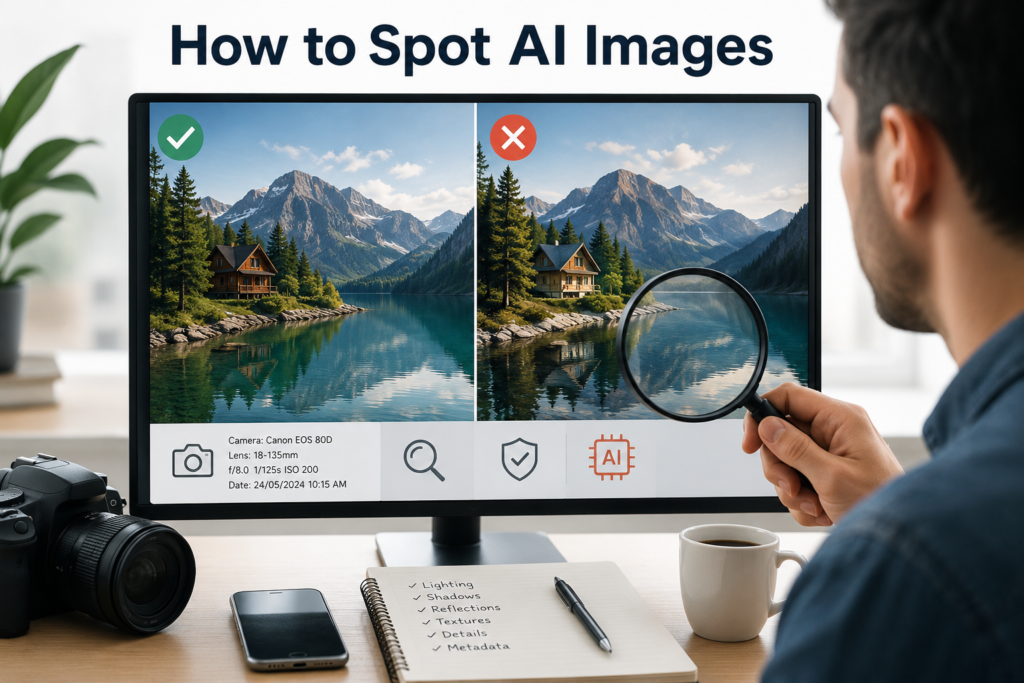
To find whether an image is AI-generated, do not rely on one clue. First, inspect the background, lighting, shadows, reflections, fabric folds, repeated patterns, and object interactions. Then check the image metadata and use reverse image search for source context. AI detection tools can help, but they are not always accurate—especially for screenshots, compressed images, or AI-edited real photos. The safest method is to combine multiple signs and describe the result as “likely real,” “uncertain,” or “likely AI-generated.”
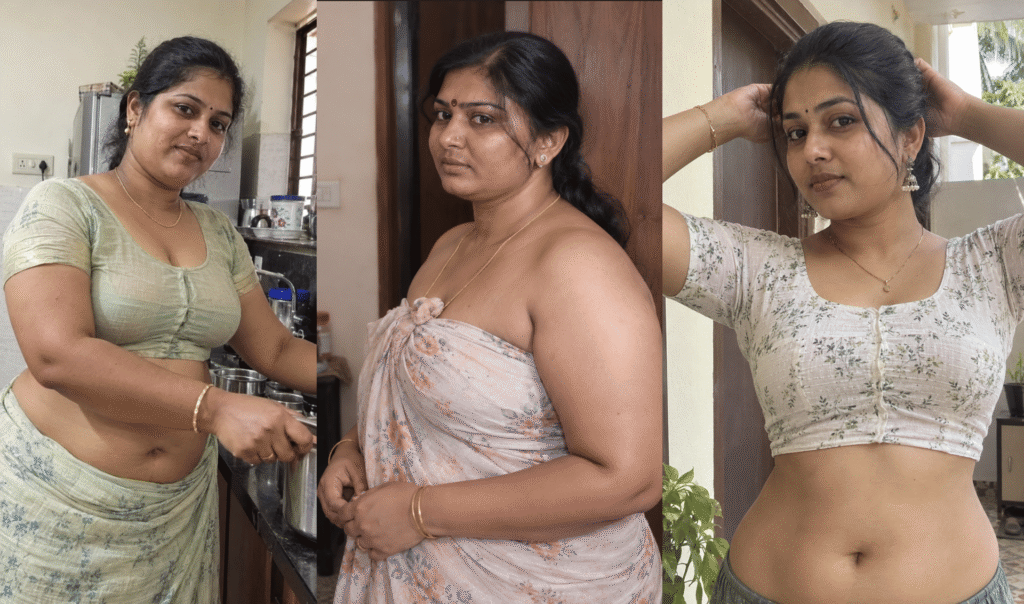
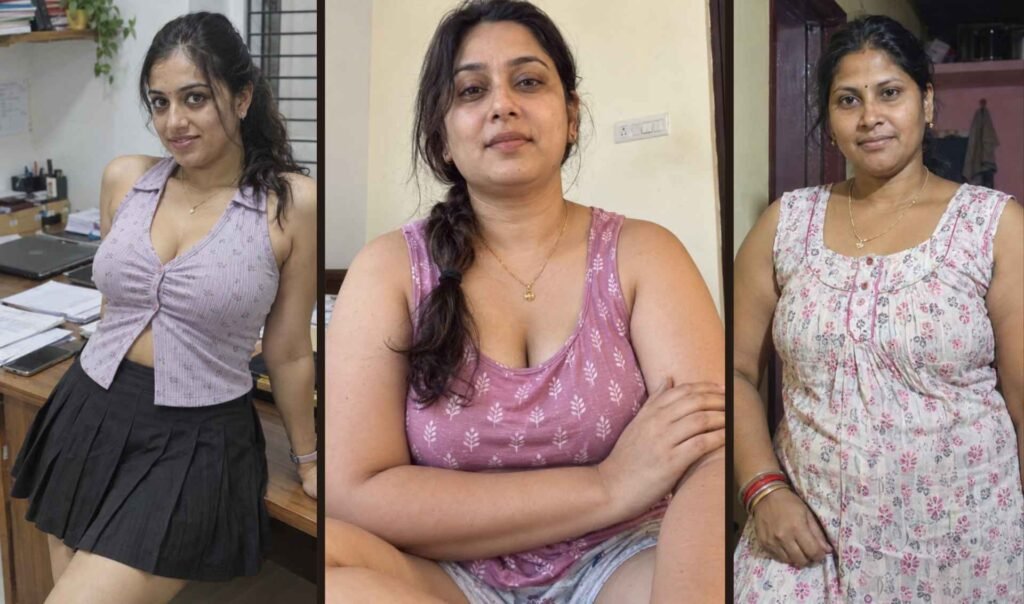
Artificial intelligence has reached a point where many AI-generated images look almost indistinguishable from real photographs. A quick glance is no longer enough. In fact, many people confidently label genuine photographs as AI while believing sophisticated AI images are real.
That is exactly why traditional advice like “look at the fingers” or “check the eyes” is becoming outdated.
Modern AI models have dramatically improved at generating hands, faces, lighting, clothing, reflections, and even complex environments. Meanwhile, real smartphone photos are often edited using AI-powered enhancement tools, making the line between “real” and “AI-generated” increasingly blurred.
Instead of relying on outdated myths, this guide introduces a practical way to evaluate images using multiple layers of evidence. Rather than searching for one obvious mistake, you will learn how professionals gradually build confidence by examining dozens of subtle clues.
Whether you’re trying to verify a viral social media post, avoid online scams, fact-check news, or simply satisfy your curiosity, this guide will help you make far more reliable decisions.
Table of Contents
Why Most AI Detection Articles Are Already Outdated
Search for “How to detect AI images,” and you’ll notice almost every article repeats the same advice:
- Look for extra fingers
- Check strange eyes
- Look for blurry backgrounds
- Inspect the teeth
- Zoom into the ears
These clues were useful when image generators were immature.
Today’s AI systems can generate:
- Correct hand anatomy
- Natural smiles
- Realistic lighting
- Accurate clothing folds
- High-quality hair strands
- Complex city environments
Ironically, many real smartphone photos now contain more processing artifacts than AI-generated images because phones automatically apply HDR, sharpening, denoising, portrait blur, and AI enhancement.
This means image verification has become less about finding a single mistake and more about evaluating the entire image as a system.
The Probability Stack Method (Original Framework)
One of the biggest mistakes people make is expecting a single clue to reveal whether an image is AI-generated.
Professional image verification doesn’t work that way.
Instead, imagine placing small pieces of evidence into a stack.
Each clue adds a little confidence.
No single clue proves anything.
For example:
| Evidence | Confidence |
|---|---|
| Missing camera metadata | Low |
| Unrealistic lighting | Medium |
| Strange reflections | Medium |
| Repeating background objects | Medium |
| Impossible fabric texture | High |
| AI detector reports likely AI | Medium |
Individually, none of these proves the image is artificial.
Combined together, they create a much stronger conclusion.
Think of image verification like solving a puzzle instead of spotting one obvious mistake.
This approach dramatically reduces false accusations against genuine photographs.
Step 1: Stop Looking at the Face First
Almost everyone immediately examines the person’s face.
Ironically, this is often the worst place to start.
Modern AI has become extremely good at generating:
- Eyes
- Lips
- Teeth
- Eyebrows
- Hairlines
- Facial expressions
Instead, begin by ignoring the face completely.
Professional investigators often spend their first minute examining:
- Background buildings
- Road markings
- Trees
- Furniture
- Electrical wires
- Door handles
- Window frames
- Signboards
These objects receive far less attention during AI generation, making them more likely to reveal inconsistencies.
Step 2: Study the “Logic” of the Scene Instead of the Quality
Many AI images are visually beautiful.
That doesn’t mean they’re logically correct.
Ask yourself simple questions:
Could sunlight realistically enter from this direction?
Would these shadows exist together?
Is the weather consistent across the entire scene?
Do the clothes match the season?
Would a photographer naturally stand in this position?
Would people in the background actually behave this way?
Real photographs capture reality.
AI often creates believable individual objects but forgets that every object must obey the same physical world.
This “logic test” catches mistakes that are invisible during a casual glance.
Step 3: Search for Hidden Repetition Instead of Visible Mistakes
One overlooked characteristic of AI images is repetition.
Humans naturally create variation.
AI frequently creates subtle duplication.
Look carefully at:
- Leaves
- Pebbles
- Bricks
- Crowd members
- Windows
- Roof tiles
- Clouds
- Grass
Instead of looking identical, real environments usually contain tiny random differences.
AI sometimes creates repeated shapes with only minor variations.
This repetition becomes easier to notice when zooming to 300–500%.
Step 4: Compare Different Materials, Not Different Objects
This technique is rarely discussed.
Instead of comparing objects, compare materials.
Ask yourself:
Does wood look like real wood?
Does concrete have realistic roughness?
Does denim behave differently from cotton?
Does skin reflect light differently from metal?
Real cameras capture different materials with unique textures.
AI occasionally gives every material the same microscopic appearance.
For example:
Skin, wooden tables, walls, and clothing may all appear to have identical surface sharpness.
This creates an unnatural “texture equality” that rarely exists in genuine photography.
Step 5: Follow the Light Through the Entire Image
Instead of asking,
“Does the lighting look good?”
Ask,
“Can I trace the journey of the light?”
Start from the light source.
Then observe:
- Face
- Neck
- Hair
- Clothing
- Ground
- Trees
- Buildings
- Objects behind the subject
Every shadow should tell the same story.
If one object behaves differently from everything else, that inconsistency deserves closer inspection.
Many AI images contain beautiful lighting but inconsistent physics.
Step 6: Understand Camera Personality
Every camera leaves fingerprints.
Not digital fingerprints.
Behavioral fingerprints.
A real smartphone camera usually produces:
- Slight edge sharpening
- Tiny sensor noise
- Lens softness near corners
- Natural exposure compromises
- Motion blur when subjects move
AI often creates an image where every part receives equal attention.
Nothing feels naturally prioritized.
Ironically, this perfection can become suspicious.
Professional photographers sometimes describe this feeling as:
“Everything is equally important.”
Real cameras rarely work that way.
The Visual Entropy Method (An Original Way to Evaluate AI Images)
Most people judge an image by asking, “Does it look realistic?”
A better question is:
“Where is the visual information concentrated?”
Real cameras don’t record every part of a scene equally. Because of lens characteristics, autofocus, lighting, sensor limitations, and depth of field, different areas naturally contain different amounts of detail.
AI image generators, however, often distribute detail too evenly.
What Is Visual Entropy?
Visual entropy refers to how detail is naturally spread throughout an image.
A genuine photograph usually has:
- A sharply focused subject
- Moderately detailed nearby objects
- Softer distant backgrounds
- Random imperfections
- Uneven texture quality
AI images often produce:
- Uniform sharpness across the frame
- Every object appearing equally “finished”
- Backgrounds that receive almost the same attention as the subject
The image looks beautiful—but strangely balanced.
That balance itself becomes evidence.
The Attention Density Test
Imagine you’re the photographer.
Where would your eyes naturally go first?
Usually:
- The face
- The main object
- Bright colors
- High contrast
- Sharp edges
Now examine the AI image.
Do tiny leaves in the background have nearly the same detail as the person’s eyelashes?
Does a distant building receive almost identical texture quality as nearby clothing?
If everything attracts equal attention, the image may have been generated rather than captured.
Real photography naturally prioritizes some parts of a scene over others.
The Camera Decision Test
Every photograph is actually a series of compromises.
A camera constantly decides:
- Which area receives focus?
- Which highlights become overexposed?
- Which shadows lose detail?
- Which colors shift?
- Which objects blur because of movement?
AI doesn’t make these decisions the same way.
Instead, it often attempts to optimize every element simultaneously.
Ask yourself:
Where did the camera “fail”?
If the answer is nowhere, that’s worth investigating.
No camera is perfect.
Search for Human Imperfections, Not AI Mistakes
Many readers spend time hunting for AI errors.
Instead, look for human imperfections.
Examples include:
- Slightly crooked clothing
- Uneven backpack straps
- Wrinkled sleeves
- Dirt on shoes
- Scratched phone screens
- Random hair out of place
- Fingerprints on glasses
- Dust on furniture
Real life is messy.
AI increasingly understands perfection.
It still struggles to recreate ordinary randomness consistently.
The Background Memory Test
This is one of the easiest techniques to perform.
Look away from the image for five seconds.
Now ask yourself:
Could you describe the background?
In genuine photographs, backgrounds usually feel naturally connected.
You remember:
- The shop
- The road
- The tree
- The parked motorcycle
In many AI images, the background appears visually rich but mentally empty.
You can’t remember it because much of it lacks meaningful structure.
Your brain noticed decoration instead of information.
The Story Consistency Framework
Instead of analyzing pixels…
Analyze the story.
Suppose you see:
A woman carrying groceries.
Ask questions.
Where did she likely come from?
Why is the shopping bag almost empty?
Why are there no other customers?
Why is sunlight behind her but shadows fall sideways?
Why is rain visible but the ground completely dry?
AI often builds convincing objects.
It doesn’t always build convincing events.
Professional investigators frequently detect fake images because the story doesn’t make sense—not because the image looks strange.
The Clothing Behavior Test
Clothing behaves according to physics.
Observe:
- Gravity
- Wind
- Body movement
- Fabric weight
Ask:
Does silk behave like silk?
Does denim fold like denim?
Does cotton wrinkle naturally?
Does a dupatta respond realistically to wind?
Modern AI produces attractive clothing.
But it sometimes gives every fabric similar folding behavior.
Real materials behave differently.
The Object Importance Test
Imagine removing one object from the image.
Would the story still work?
For example:
Remove a parked bicycle.
Still believable.
Remove a flower pot.
Still believable.
Now inspect the image.
Sometimes AI adds dozens of decorative objects that contribute nothing to the story.
They’re simply filling space.
Real photographers usually include objects because they naturally existed—not because the composition needed extra detail.
Examine Human Interaction
Humans constantly interact with their environment.
Notice:
A hand touching a railing.
Feet pressing into grass.
A child holding a parent’s finger.
Hair moving because of wind.
A shopping bag pulling downward.
These tiny interactions connect people to the physical world.
AI sometimes creates convincing people and convincing environments—but the relationship between them feels weak.
The subject appears placed into the scene instead of living inside it.
The Compression Fingerprint Method
Many people believe high resolution means real.
It doesn’t.
Instead, inspect compression behavior.
Real smartphone photos usually contain:
- Slight JPEG artifacts
- Tiny sensor grain
- Local sharpening
- Minor color bleeding
AI-generated images often appear:
- Extremely clean
- Consistently smooth
- Equally sharp everywhere
- Almost free from natural sensor characteristics
Ironically, perfect cleanliness can become suspicious.
Don’t Confuse AI Enhancement With AI Generation
This is one of the biggest misunderstandings today.
A photograph can be:
- Real
- AI-enhanced
- AI-edited
- AI-expanded
- AI-restored
These are not the same as fully AI-generated images.
For example:
A real portrait with AI skin smoothing is still based on a genuine photograph.
Likewise, AI object removal or background extension doesn’t automatically make the entire image synthetic.
Before concluding an image is AI-generated, consider whether it may simply have undergone AI-assisted editing.
The Confidence Ladder
Instead of making a yes-or-no decision, classify your confidence.
| Confidence | Meaning |
|---|---|
| 0–20% | Probably a real photo |
| 20–40% | Slight signs of AI or heavy editing |
| 40–60% | Uncertain; more evidence needed |
| 60–80% | Strong indicators of AI generation |
| 80–100% | Highly likely AI-generated, but still not guaranteed |
This approach encourages careful evaluation rather than overconfidence.
Common Mistakes People Make
Even experienced users can be fooled. Avoid these common errors:
- Assuming every flawless image is AI-generated.
- Believing every AI image contains visible defects.
- Judging an image after only a few seconds.
- Ignoring the background and focusing only on faces.
- Treating a single clue as definitive proof.
- Forgetting that social media platforms compress and modify uploaded images.
- Assuming AI detection tools are always correct—they can produce false positives and false negatives.
The Professional 30-Second AI Image Verification Routine
Professional fact-checkers rarely spend ten minutes examining every image.
Instead, they follow a fast workflow.
You can do the same.
First 5 Seconds — Overall Impression
Don’t zoom in immediately.
Simply ask:
- Does anything feel unusual?
- Does the scene tell a believable story?
- Is the composition unnaturally perfect?
- Does the image feel more like artwork than photography?
Don’t make a decision yet.
Just observe.
Next 10 Seconds — Background Scan
Ignore the person.
Instead inspect:
- Buildings
- Trees
- Vehicles
- Shadows
- Road markings
- Electrical wires
- Windows
- Furniture
Background mistakes are often more revealing than facial features.
Next 10 Seconds — Physical Consistency
Now verify:
- Lighting direction
- Shadow direction
- Fabric movement
- Hair movement
- Reflections
- Perspective
- Human interaction with objects
Everything should follow the same physical rules.
Final 5 Seconds — Confidence Decision
Instead of asking:
Is this AI?
Ask:
How confident am I?
Use your confidence ladder.
Sometimes the correct answer is simply:
“I don’t have enough evidence.”
That is a far more reliable conclusion than making an incorrect accusation.
AI Detection Tools: Helpful, but Not Perfect
Many websites claim they can instantly determine whether an image is AI-generated.
Treat these tools as assistants—not judges.
They work by analyzing patterns such as:
- Texture distribution
- Noise characteristics
- Metadata
- Compression artifacts
- Statistical image signatures
However, their accuracy depends on the AI model, image quality, and any editing that has been applied.
When Detection Tools Work Well
- Unedited AI-generated images.
- Images directly downloaded from AI generators.
- High-resolution files with original metadata.
When They Often Struggle
- Screenshots.
- Images compressed by messaging apps.
- Social media downloads.
- Cropped images.
- AI-enhanced real photographs.
- Photos edited multiple times.
The best approach is to combine tool results with your own visual inspection.
False Positives: When Real Photos Look AI
A false positive happens when a genuine photograph is mistaken for AI-generated.
This is becoming increasingly common.
Reasons include:
- Professional studio lighting.
- Heavy HDR processing.
- AI-powered smartphone enhancement.
- Beauty filters.
- Noise reduction.
- Upscaling software.
- High-end camera lenses.
- Perfect weather conditions.
Always remember:
A perfect-looking image isn’t automatically AI-generated.
False Negatives: When AI Images Fool Everyone
Modern AI systems can create images that appear entirely authentic.
They often include:
- Natural lighting.
- Correct anatomy.
- Realistic backgrounds.
- Authentic clothing.
- Convincing expressions.
These images may pass visual inspection.
In such cases, there may be no reliable way to confirm AI generation without additional evidence such as metadata, source information, or content credentials.
Recognizing uncertainty is an important part of responsible verification.
The AI Image Confidence Scorecard
Use this checklist before deciding whether an image is AI-generated.
| Check | Yes | No |
|---|---|---|
| Lighting is physically consistent | ☐ | ☐ |
| Shadows match the light source | ☐ | ☐ |
| Background objects make sense | ☐ | ☐ |
| Materials have realistic textures | ☐ | ☐ |
| No obvious repeating patterns | ☐ | ☐ |
| Clothing behaves naturally | ☐ | ☐ |
| Reflections are consistent | ☐ | ☐ |
| Human interaction feels realistic | ☐ | ☐ |
| Camera imperfections are present | ☐ | ☐ |
| Metadata supports authenticity (if available) | ☐ | ☐ |
| Reverse image search provides useful context | ☐ | ☐ |
The more boxes you can confidently check, the stronger your assessment becomes. However, no checklist can guarantee certainty.
AI Image Detection Myths
Myth 1: AI Images Always Have Extra Fingers
Not anymore.
Modern AI image generators produce realistic hands in many situations.
Myth 2: Blurry Background Means AI
Many real smartphones intentionally blur backgrounds using Portrait Mode.
Myth 3: Missing Metadata Means Fake
Metadata can be removed by messaging apps, editing software, or social media platforms.
Myth 4: AI Images Always Look Too Perfect
Some AI images intentionally simulate grain, motion blur, lens flare, and imperfections.
Myth 5: Detection Websites Are Always Correct
No AI detector is 100% accurate. Results should be interpreted as indicators, not proof.
Frequently Asked Questions
Can AI images be identified with 100% accuracy?
No. As AI image generation improves, some images cannot be reliably identified through visual inspection alone.
Can metadata prove an image is real?
Not by itself. Metadata can be removed, modified, or absent for legitimate reasons.
Are AI-generated images illegal?
No. Creating AI-generated images is generally legal in many jurisdictions. However, using them for fraud, impersonation, or misinformation may violate laws or platform policies.
Why do some real photos look fake?
Modern smartphones apply computational photography features such as HDR, sharpening, denoising, and AI enhancement, making real photos appear unusually polished.
Is reverse image search useful?
Yes. It can reveal earlier versions of an image, identify the original source, or show whether the image has been widely reused. However, a lack of search results does not prove an image is AI-generated.
Can social media compression affect AI detection?
Yes. Platforms often resize and recompress images, removing metadata and altering fine details that might otherwise help with analysis.
Final Thoughts
The biggest change in AI image detection isn’t better software—it’s a better mindset.
Rather than hunting for a single flaw, evaluate the image as a whole. Consider lighting, textures, physical consistency, metadata, camera behavior, source credibility, and context together.
Sometimes you’ll conclude an image is likely AI-generated. Other times you’ll decide it’s probably real. And occasionally, the most accurate answer will be that there isn’t enough evidence to know for sure.
That willingness to accept uncertainty is what separates careful analysis from guesswork.
Some more you might like