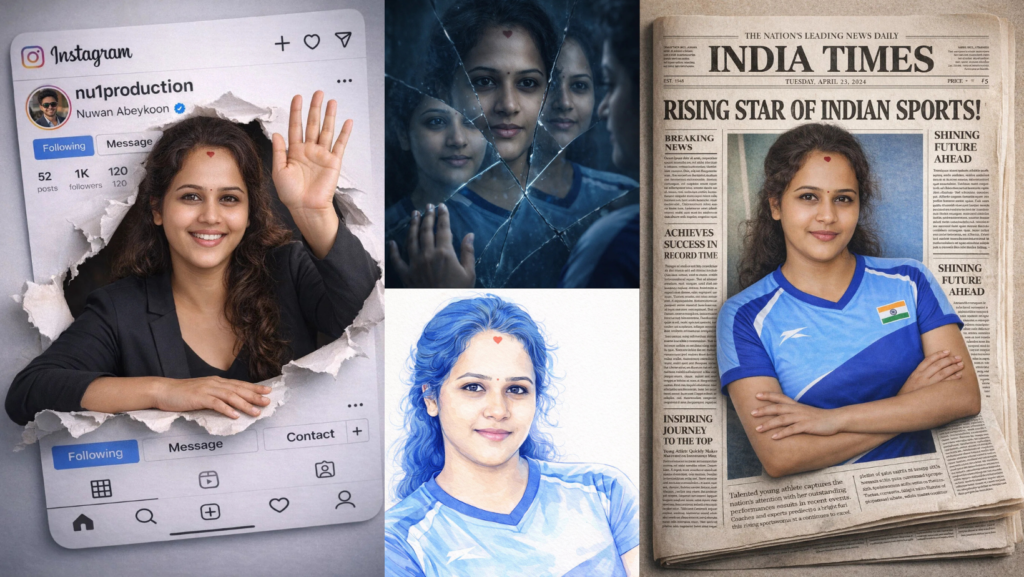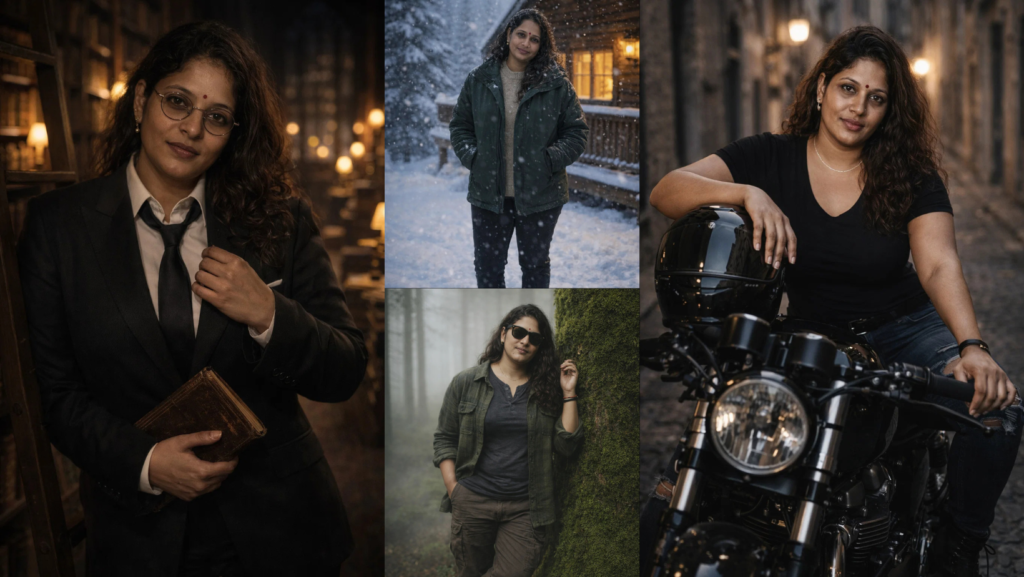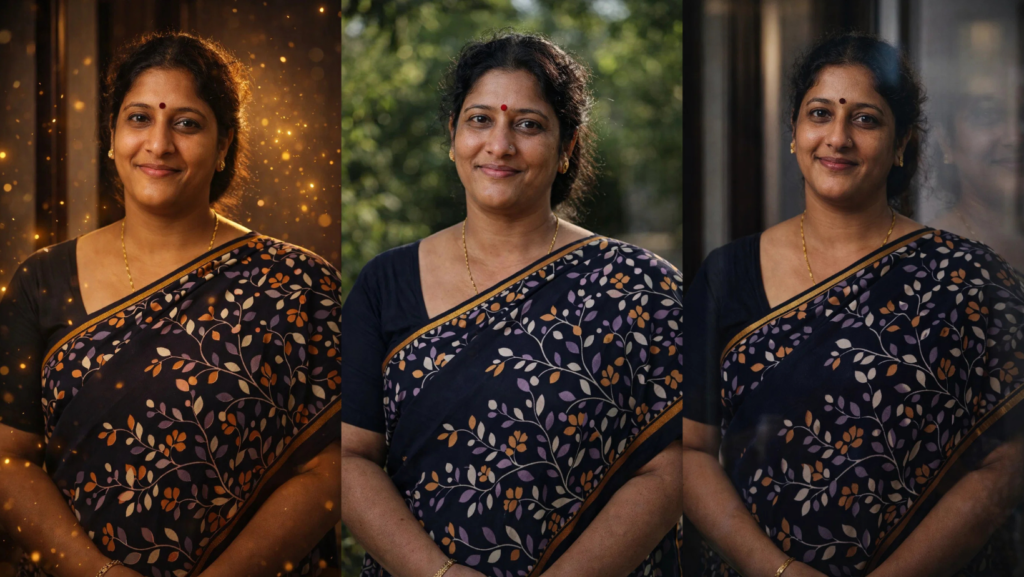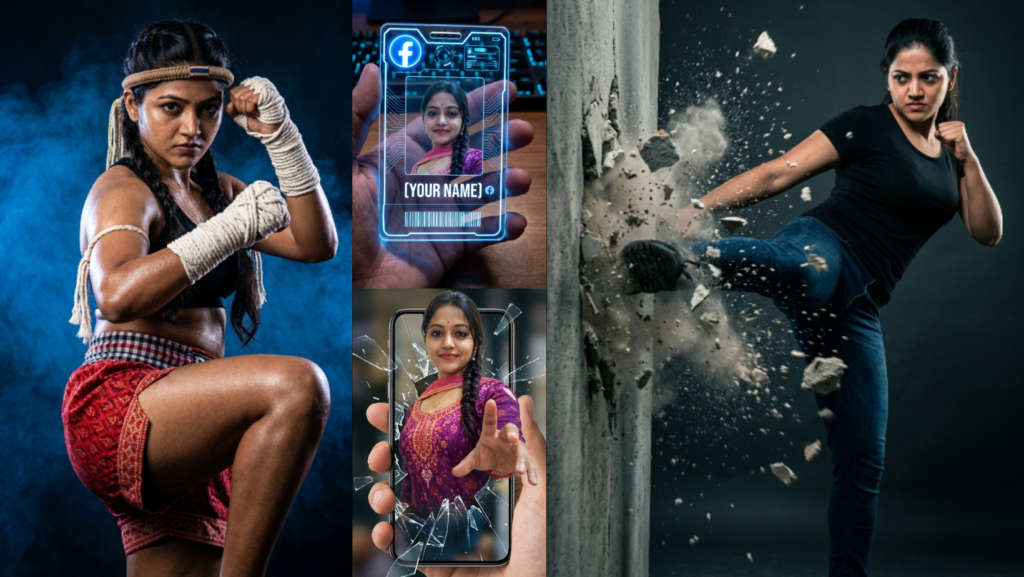
These Gemini AI Photo Editing Prompts 2026 are designed for users who want to upload their own photo and instantly turn it into something dramatic, futuristic, cinematic, or viral. Every prompt below keeps the same face and identity from the uploaded image.
Before using any prompt, add this line at the beginning:
“Use the uploaded image as the face and identity reference. Keep the same face, hairstyle, skin tone, expression, and overall identity from the uploaded image. Make sure [he/she] still clearly looks like the same person.”
The user only needs to:
- Upload their image
- Replace
[he/she]and[his/her] - Paste the prompt into Gemini AI image editing
1. Futuristic Facebook Acrylic ID Card
![Create a high-tech futuristic transparent acrylic ID card being held in a person's hand. The center of the card must contain the uploaded person's face with the exact same hairstyle, expression, and identity. At the top of the card, add a glowing blue Facebook-style logo and futuristic interface design. Below the portrait, display the name [YOUR NAME] in bold white text with a small social-media-style icon beside it. Add digital holographic elements, a glowing barcode at the bottom, and blue neon light effects around the edges of the acrylic card. The card is being held in front of a dimly lit desk with a blurred wooden surface, a blue backlit keyboard, and a futuristic room atmosphere. Ultra-realistic acrylic material, realistic fingers holding the card, cinematic blue lighting, detailed reflections.](https://askaiworld.com/wp-content/uploads/2026/04/Futuristic-Facebook-Acrylic-ID-Card.png)
Create a high-tech futuristic transparent acrylic ID card being held in a person's hand. The center of the card must contain the uploaded person's face with the exact same hairstyle, expression, and identity. At the top of the card, add a glowing blue Facebook-style logo and futuristic interface design. Below the portrait, display the name [YOUR NAME] in bold white text with a small social-media-style icon beside it. Add digital holographic elements, a glowing barcode at the bottom, and blue neon light effects around the edges of the acrylic card. The card is being held in front of a dimly lit desk with a blurred wooden surface, a blue backlit keyboard, and a futuristic room atmosphere. Ultra-realistic acrylic material, realistic fingers holding the card, cinematic blue lighting, detailed reflections.
2. Floating Transparent Hologram Profile Cube
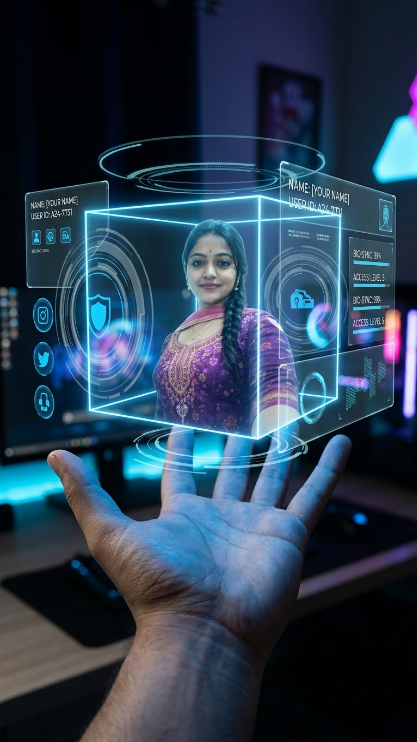
Create a premium transparent glass VIP access card with the uploaded person's portrait in the center. Keep the face exactly the same as the uploaded image. The card should be held between two fingers and have elegant silver and blue holographic edges. At the top write “VIP MEMBER 2026” in glowing text. Add the uploaded person's name below the photo, a fake membership ID number, a barcode, and futuristic holographic lines. The background should be a luxury office desk with a laptop, soft blue lighting, and blurred city lights through a window. Make the image look expensive, futuristic, and realistic.
3. Wall Breaking Action Scene
![Create a high-action cinematic image of the uploaded person performing a powerful side kick into a thick concrete wall. Keep the exact same face and identity from the uploaded image. [He/She] wears a fitted black t-shirt, dark jeans, and black shoes. At the exact point where [his/her] foot hits the wall, the concrete is exploding and breaking apart with dust, flying debris, and cracked pieces in the air. The background is a dark dramatic studio with minimal details so all attention stays on the action. Add motion blur to the kick, strong dramatic lighting, detailed dust particles, realistic muscle tension, and cinematic action-movie style.](https://askaiworld.com/wp-content/uploads/2026/04/Wall-Breaking-Action-Scene.png)
Create a high-action cinematic image of the uploaded person performing a powerful side kick into a thick concrete wall. Keep the exact same face and identity from the uploaded image. [He/She] wears a fitted black t-shirt, dark jeans, and black shoes. At the exact point where [his/her] foot hits the wall, the concrete is exploding and breaking apart with dust, flying debris, and cracked pieces in the air. The background is a dark dramatic studio with minimal details so all attention stays on the action. Add motion blur to the kick, strong dramatic lighting, detailed dust particles, realistic muscle tension, and cinematic action-movie style.
4. Muay Thai Champion Portrait
![Create a high-quality studio portrait of the uploaded person transformed into a powerful Muay Thai or Kun Khmer fighter. Keep the same face and hairstyle from the uploaded image. [He/She] is in a dynamic fighting stance with one knee raised and both arms in a defensive guard. [He/She] wears traditional red patterned Muay Thai shorts with a checkered waistband, a matching Mongkhon headband, and thick white rope hand wraps extending up the forearms. The background is dark with dramatic blue smoke and strong spotlighting that highlights the muscles and pose. Ultra-realistic skin texture, cinematic sports photography, sharp details.](https://askaiworld.com/wp-content/uploads/2026/04/Muay-Thai-Champion-Portrait.png)
Create a high-quality studio portrait of the uploaded person transformed into a powerful Muay Thai or Kun Khmer fighter. Keep the same face and hairstyle from the uploaded image. [He/She] is in a dynamic fighting stance with one knee raised and both arms in a defensive guard. [He/She] wears traditional red patterned Muay Thai shorts with a checkered waistband, a matching Mongkhon headband, and thick white rope hand wraps extending up the forearms. The background is dark with dramatic blue smoke and strong spotlighting that highlights the muscles and pose. Ultra-realistic skin texture, cinematic sports photography, sharp details.
5. Giant Hologram City Projection
![Create a futuristic city scene at night where the uploaded person appears as a giant blue hologram projected between skyscrapers. Keep the face exactly the same as the uploaded image. The hologram version of [him/her] is standing confidently with crossed arms while blue light glows around the body. Below, the city streets are full of cars, people, and neon signs. Add holographic glitches, transparent light effects, reflections on wet streets, and a cinematic cyberpunk atmosphere.](https://askaiworld.com/wp-content/uploads/2026/04/Giant-Hologram-City-Projection.png)
Create a futuristic city scene at night where the uploaded person appears as a giant blue hologram projected between skyscrapers. Keep the face exactly the same as the uploaded image. The hologram version of [him/her] is standing confidently with crossed arms while blue light glows around the body. Below, the city streets are full of cars, people, and neon signs. Add holographic glitches, transparent light effects, reflections on wet streets, and a cinematic cyberpunk atmosphere.
6. Breaking Through Smartphone Screen
![Create a realistic image of the uploaded person appearing to break out through a smartphone screen. The phone is held in someone's hand, and the uploaded person is emerging from the screen in a dramatic 3D effect. Keep the face and identity exactly the same. [He/She] should appear to be reaching forward with one hand while smiling confidently. Add broken glass effects, realistic screen reflections, shadows, and depth so the person looks like [he/she] is coming out of the phone.](https://askaiworld.com/wp-content/uploads/2026/04/Breaking-Through-Smartphone-Screen.png)
Create a realistic image of the uploaded person appearing to break out through a smartphone screen. The phone is held in someone's hand, and the uploaded person is emerging from the screen in a dramatic 3D effect. Keep the face and identity exactly the same. [He/She] should appear to be reaching forward with one hand while smiling confidently. Add broken glass effects, realistic screen reflections, shadows, and depth so the person looks like [he/she] is coming out of the phone.
7. Luxury Magazine Cover Portrait
![Create a premium magazine cover featuring the uploaded person. Keep the face exactly the same as the uploaded image. Place [him/her] in the center wearing a stylish black suit or fashionable outfit. Add realistic magazine text around the edges, bold headlines, and a luxury fashion magazine style. The background should be dark and dramatic with soft studio lighting. Make the overall image look like a real international magazine cover from 2026.](https://askaiworld.com/wp-content/uploads/2026/04/Luxury-Magazine-Cover-Portrait.png)
Create a premium magazine cover featuring the uploaded person. Keep the face exactly the same as the uploaded image. Place [him/her] in the center wearing a stylish black suit or fashionable outfit. Add realistic magazine text around the edges, bold headlines, and a luxury fashion magazine style. The background should be dark and dramatic with soft studio lighting. Make the overall image look like a real international magazine cover from 2026.
8. Fire and Ice Split Portrait
![Create a dramatic portrait of the uploaded person where one side of [his/her] body is surrounded by blue ice and the other side is surrounded by orange fire. Keep the same face and identity from the uploaded image. The left side should glow with frozen blue light and floating ice particles, while the right side glows with fire, sparks, and warm orange light. The image should look cinematic, powerful, and highly detailed.](https://askaiworld.com/wp-content/uploads/2026/04/Fire-and-Ice-Split-Portrait.png)
Create a dramatic portrait of the uploaded person where one side of [his/her] body is surrounded by blue ice and the other side is surrounded by orange fire. Keep the same face and identity from the uploaded image. The left side should glow with frozen blue light and floating ice particles, while the right side glows with fire, sparks, and warm orange light. The image should look cinematic, powerful, and highly detailed.
9. Space Suit Astronaut Portrait
![Transform the uploaded person into a futuristic astronaut standing on the moon. Keep the face exactly the same as the uploaded image, visible through the glass helmet. [He/She] wears a detailed white and silver space suit with glowing blue details. The moon surface, Earth in the sky, and stars are visible in the background. Add cinematic lighting, realistic reflections on the helmet, and a heroic pose.](https://askaiworld.com/wp-content/uploads/2026/04/Space-Suit-Astronaut-Portrait.png)
Transform the uploaded person into a futuristic astronaut standing on the moon. Keep the face exactly the same as the uploaded image, visible through the glass helmet. [He/She] wears a detailed white and silver space suit with glowing blue details. The moon surface, Earth in the sky, and stars are visible in the background. Add cinematic lighting, realistic reflections on the helmet, and a heroic pose.
10. Floating Neon Gaming Room Portrait
![Create a futuristic gaming room scene where the uploaded person is sitting in a modern gaming chair surrounded by floating holographic screens. Keep the face exactly the same as the uploaded image. [He/She] wears a black hoodie and gaming headphones with blue neon lights. The room is dark with glowing RGB lights, floating keyboards, gaming setup, and blue-purple neon atmosphere. Add realistic reflections, smoke, and modern futuristic details.](https://askaiworld.com/wp-content/uploads/2026/04/Floating-Neon-Gaming-Room-Portrait.png)
Create a futuristic gaming room scene where the uploaded person is sitting in a modern gaming chair surrounded by floating holographic screens. Keep the face exactly the same as the uploaded image. [He/She] wears a black hoodie and gaming headphones with blue neon lights. The room is dark with glowing RGB lights, floating keyboards, gaming setup, and blue-purple neon atmosphere. Add realistic reflections, smoke, and modern futuristic details.
Which Prompt Should You Use?
| If You Want… | Best Prompt |
|---|---|
| Futuristic social-media look | Futuristic Facebook Acrylic ID Card |
| Premium professional style | Premium Glass VIP Access Card |
| Powerful action scene | Wall Breaking Action Scene |
| Martial arts portrait | Muay Thai Champion Portrait |
| Futuristic city style | Giant Hologram City Projection |
| Viral 3D social media image | Breaking Through Smartphone Screen |
| Celebrity fashion look | Luxury Magazine Cover Portrait |
| Fantasy and power look | Fire and Ice Split Portrait |
| Space and sci-fi style | Space Suit Astronaut Portrait |
| Gamer and neon room vibe | Floating Neon Gaming Room Portrait |
FAQ
How do I use these Gemini AI photo editing prompts?
Upload your image, copy one prompt, replace [he/she] if needed, and paste it into Gemini AI image editing.
Can I use my own face with these prompts?
Yes. Every prompt is designed to keep your original face and identity from the uploaded image.
Which prompt is best for a viral social media image?
The Futuristic Facebook Acrylic ID Card and Breaking Through Smartphone Screen prompts are the best for viral-style edits.
Which prompt is best for an action look?
The Wall Breaking Action Scene and Muay Thai Champion Portrait prompts are best for powerful action images.
How can I make the image more realistic?
Add this line at the end of any prompt:
“Keep realistic skin texture, accurate facial proportions, natural lighting, no extra fingers, no distorted face, and no plastic AI look.”
Some more you might like