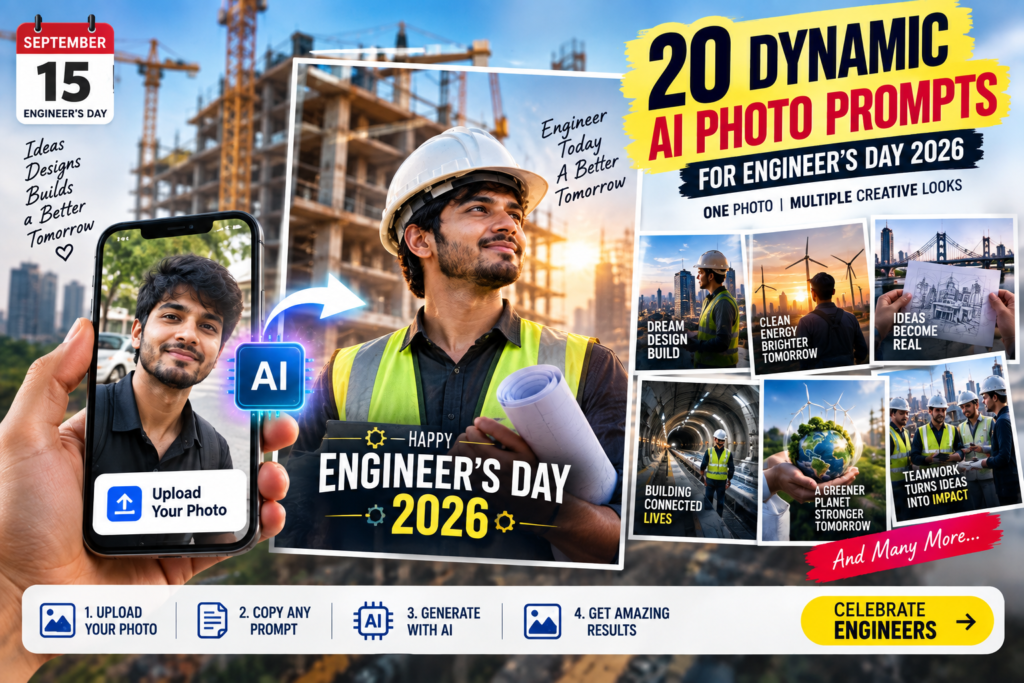
1. Blueprint Comes Alive
Use the uploaded photo as the primary identity reference. First detect automatically whether the photo contains one person, two people, a couple, friends, colleagues, or a group. Keep exactly the same people and preserve every person's recognizable face, skin tone, hairstyle, approximate age and individual facial features. Never add, remove, duplicate, merge or replace anyone.

Create a completely NEW professional Engineer’s Day 2026 photoshoot. Do not simply paste the people onto a new background. Naturally reconstruct them inside an extraordinary architectural environment where a huge physical blueprint begins on a drafting table near them and appears to rise out of the paper, gradually transforming into a REAL completed modern building behind them. Make the transition from pencil lines → technical blueprint → steel framework → finished architecture visible within one believable camera frame.

For one person, create a powerful hero pose interacting naturally with the blueprint. For two people, show them examining or pointing toward different parts of the design. For a group, widen the composition and arrange everyone naturally around the blueprint while keeping every face clearly visible.

Upgrade even an ordinary mobile selfie or low-quality photo into an authentic high-end DSLR location shoot: natural skin pores, individual hair strands, realistic eyes, genuine fabric texture, physically accurate lighting, contact shadows, reflections, lens depth and subtle photographic imperfections. Professional engineering clothing and safety equipment may replace the original clothes where appropriate. No plastic skin, face-swap look, floating bodies, CGI people, cartoon effect or obvious AI appearance.

ONE PHOTO = ONE STRONG CURIOSITY: viewers should look twice to understand how the flat blueprint appears to physically become the real building.

Add professionally designed eye-catching typography in a clean unused area:
“FROM BLUEPRINT TO REALITY”
small secondary text: “Engineer’s Day 2026”

Use bold modern editorial fonts, excellent mobile readability and strong contrast. Never cover faces, hands or the blueprint transformation. Bright, crisp, photorealistic, premium newspaper feature photography, Google Discover-friendly visual impact, believable real-world camera physics, no watermark, no unnecessary logo.
2. Holding the Future City
Use the uploaded photo as the human identity reference. Automatically detect one person, two people, a couple, friends, colleagues or a group and preserve exactly the same number of people. Keep every person's recognizable face, natural skin tone, hairstyle, approximate age and individual identity. Never duplicate, remove, merge or invent main people.

Transform the uploaded photo into a completely new professional Engineer’s Day 2026 photoshoot on a modern rooftop overlooking a real city. Place the subject or subjects naturally around a transparent engineering table holding a highly detailed miniature smart-city model. Create an extraordinary forced-perspective illusion: the miniature roads, bridge and towers on the table must visually align perfectly with the REAL full-size city behind them, making it appear that the small model is growing into the actual skyline.

Adapt automatically: one person confidently controls or studies the model; two people interact naturally across it; a group surrounds the table with believable spacing and different professional actions. Keep all faces clearly visible.

Make even a normal phone photo look like an original full-frame camera shoot with realistic skin texture, hair, clothing fibers, reflections, shadows, environmental light and optical depth. Subjects must genuinely belong to the rooftop scene rather than look pasted in. Avoid beautified plastic faces, CGI appearance, cloned poses and obvious AI artifacts.

ONE PHOTO = ONE STRONG CURIOSITY: the viewer should wonder where the miniature city ends and the real city begins.

Add elegant bold typography:
“DESIGNING TOMORROW”
small text: “Engineer’s Day 2026”

Place typography away from faces and the city-model illusion. Bright premium editorial photography, strong foreground-to-background depth, realistic golden-hour atmosphere, mobile-first thumbnail readability, no watermark.
3. Sketch Becomes a Real Bridge
Use the uploaded photo as the primary identity reference. Automatically understand whether it contains one person, two people or a group. Preserve exactly those people and their recognizable facial identities, skin tones, hairstyles and approximate ages. Do not add, delete, duplicate, merge or replace anyone.

Create an original outdoor Engineer’s Day 2026 professional photoshoot beside a spectacular modern bridge. The uploaded person or people hold a large engineering sketch sheet naturally toward the camera. On the sheet is the technical drawing of the bridge. Align the drawing perfectly with the real bridge behind it so that one half appears as hand-drawn engineering lines while the other half seamlessly continues into the finished real structure.

Adapt poses and framing automatically to the number of uploaded people. For a group, widen the shot and let different members naturally inspect the drawing and structure while preserving every face.

Transform poor or ordinary source-photo quality into genuine professional photography with authentic facial texture, correct perspective, natural daylight, real clothing texture, physically believable shadows, accurate depth of field and realistic camera optics. No pasted faces, artificial smoothing, distorted hands, duplicate people or CGI look.

ONE PHOTO = ONE STRONG CURIOSITY: half sketch, half reality must appear captured in one real photograph rather than created as a cheap split-screen effect.

Add strong editorial typography:
“IDEAS BECOME REAL”
secondary text: “Engineer’s Day 2026”

Keep text compact, high contrast and mobile readable without covering faces or the sketch-to-bridge alignment. Ultra-realistic DSLR photography, bright clean exposure, newspaper feature-image quality, no watermark.
4. Engineer Inside the Drawing
Use the uploaded image as the identity reference and automatically preserve exactly every person visible in it. The photo may contain a single person, two people, friends, colleagues, a couple or a larger group. Maintain each recognizable face, skin tone, hairstyle, approximate age and unique appearance. Never add, remove, duplicate or merge people.

Create a completely new Engineer’s Day 2026 photoshoot inside a huge real construction site. Build an unusual perspective composition where enormous white architectural drawing lines appear naturally painted or projected across the physical floor and walls. From the camera's exact viewpoint, those lines align with the unfinished steel and concrete structure, making the uploaded people appear to be standing literally between the DRAWING and the REAL BUILDING.

Automatically create a strong individual composition for one person, balanced interaction for two, and a wider professional team arrangement for a group.

Upgrade the source image to genuine professional full-frame photography. Maintain natural skin pores and human imperfections, realistic hair, correct hands, believable PPE, fabric texture, accurate construction-site lighting, contact shadows and real depth. Subjects must appear physically photographed there. No cartoon blueprint overlay, neon sci-fi graphics, plastic faces or AI cut-out appearance.

ONE PHOTO = ONE STRONG CURIOSITY: viewers should initially be unsure whether the people are standing inside a drawing or a real building.

Add modern eye-catching typography:
“IMAGINE IT. BUILD IT.”
small text: “Engineer’s Day 2026”

Integrate typography into negative space with excellent mobile readability. Keep faces and the perspective illusion unobstructed. Bright premium editorial photography, realistic camera physics, no watermark.
5. Building Through the Tablet
Analyze the uploaded photo and use its person or people as the exact identity reference. Automatically support a single person, two people, couple, friends, colleagues or group. Preserve the same number of people and each person's recognizable face, natural skin tone, hairstyle and approximate age. Never invent, duplicate, merge or remove anyone.

Create a new professional Engineer’s Day 2026 photoshoot at a real construction location. One of the uploaded people naturally holds a tablet toward the camera while the others, if present, interact with the scene. The tablet displays a clean 3D structural model of the unfinished building behind them. Align the tablet precisely with the real structure so that part of the digital building seems to extend beyond the screen and become the physical construction itself.

For one person use a striking three-quarter hero composition. For two people create believable collaboration. For groups widen naturally and maintain clear individual faces.

Make the uploaded mobile photo look as though everyone was photographed there using a premium DSLR: realistic skin, eyes, hair, hands, fabric, PPE, reflections on the tablet, sunlight direction, contact shadows and lens depth. Avoid excessive beautification, CGI humans, fake face swaps or pasted-background appearance.

ONE PHOTO = ONE STRONG CURIOSITY: the digital structure must appear to cross the tablet screen boundary and become real.

Typography:
“DESIGN → REALITY”
secondary: “Engineer’s Day 2026”

Use stylish bold editorial lettering with one subtle arrow treatment. Text must remain highly readable on a phone and never cover the faces or tablet illusion. Bright, photorealistic, professional, no watermark.
6. Power in Their Hands
Use every person in the uploaded photo as the identity reference. Automatically adapt to one person, two people or a group while keeping exactly the same individuals, recognizable facial features, skin tones, hairstyles and approximate ages. Never add or remove main people.

Recreate them in a completely new Engineer’s Day 2026 professional photoshoot at a vast electrical power facility during sunset. Create a realistic forced-perspective composition where the subject or subjects appear to hold or guide a small physical scale model of an electrical transmission tower in the foreground. Align that miniature tower perfectly with enormous real transmission towers stretching into the distance. Subtle illuminated power routes may connect them naturally.

Adapt body positions and camera width to the uploaded group size. Everyone must have an individual natural pose and visible face.

Turn even a casual low-quality photo into authentic editorial DSLR photography with realistic skin pores, hair, clothing, safety equipment, sunlight, shadows, metal reflections, atmospheric depth and real lens behavior. No superhero effects, fake electricity around bodies, CGI people or plastic faces.

ONE PHOTO = ONE STRONG CURIOSITY: miniature engineering in the foreground should visually become enormous infrastructure in the distance.

Add bold clean typography:
“POWERING EVERYDAY LIFE”
small text: “Engineer’s Day 2026”

Use strong but tasteful fonts, excellent thumbnail readability and clear safe margins. High-detail, bright cinematic realism, no watermark.
7. Road Drawn Into Reality
Use the uploaded photo as the exact human identity reference. Detect automatically whether there is one person, two people or a group and preserve every uploaded individual without addition, deletion, duplication or face merging. Maintain recognizable faces, skin tones, hairstyles and approximate ages.

Create an entirely new Engineer’s Day 2026 location photoshoot overlooking a spectacular highway interchange. The uploaded person or people hold an engineering road-plan sheet in the foreground. Create a precise perspective illusion where one printed road line leaves the paper at its edge and visually continues as the REAL highway behind them, complete with believable vehicles and infrastructure.

Automatically arrange one person as a strong subject, two as collaborating engineers and multiple people as a naturally positioned team. Keep everyone clearly recognizable.

Rebuild normal phone-photo quality into realistic high-end camera photography: natural skin texture, individual hair, accurate hands, genuine clothing/PPE, correct sunlight, contact shadows, atmospheric perspective and realistic depth of field. No pasted faces, artificial glamour, cartoon roads or CGI appearance.

ONE PHOTO = ONE STRONG CURIOSITY: a simple line on paper must appear to turn into a kilometre-long real highway.

Add professional typography:
“EVERY ROAD STARTS WITH A LINE”
small text: “Engineer’s Day 2026”

Use eye-catching newspaper-feature typography with high mobile contrast. Do not obstruct the visual transition or faces. Bright realistic aerial-location feel, no watermark.
8. Giant Machine, Human Mind
Analyze the uploaded photo first. Preserve exactly the same one person, two people or group and maintain each individual's recognizable facial identity, skin tone, hairstyle and approximate age. Never duplicate, merge, replace or remove people.

Transform them into an original Engineer’s Day 2026 photoshoot inside a huge industrial facility beside an enormous turbine or precision machine several times taller than the people. Use scale as the visual surprise. One section of the real machine should be opened naturally to reveal its intricate internal engineering, while a small technical drawing held by one subject shows the same internal mechanism.

For one person create an intimate human-versus-machine scale composition. For multiple people arrange them naturally inspecting different parts while keeping every face visible.

The final result must resemble genuine industrial photography shot with a professional full-frame camera. Preserve realistic facial skin, hair, eyes, hands, fabric, metal surfaces, grease, reflections, shadows and depth. Do not beautify excessively. No sci-fi machinery, robots replacing people, plastic skin or obvious AI rendering.

ONE PHOTO = ONE STRONG CURIOSITY: emphasize how a human mind can understand and control machinery that visually dwarfs the people.

Typography:
“BIG MACHINES. HUMAN IDEAS.”
secondary: “Engineer’s Day 2026”

Bold condensed editorial lettering, high contrast, clean placement and mobile-first readability. No text over faces or machine details. Bright industrial realism, no watermark.
9. Reflection of Tomorrow
Use all people visible in the uploaded photo as exact identity references. Automatically adapt to a single person, pair or group. Keep the exact number of people and preserve recognizable faces, natural skin tones, hairstyles and approximate ages. Never create extra main people.

Create a completely new Engineer’s Day 2026 professional photograph at an active urban development site. Position the uploaded people beside a large clean glass panel or building window. In the REAL side of the photograph, show the current partially completed engineering project. In the natural GLASS REFLECTION, show the believable completed future version of exactly the same place — finished buildings, landscaping and infrastructure — while the people themselves remain naturally reflected.

For groups, use wider framing and realistic spacing. Ensure all identities remain clear.

Make it look physically photographed, not composited: correct reflection angles, realistic glass imperfections, matching light direction, genuine skin texture, hair, clothing, shadows and full-frame camera depth. No magical portal, fantasy city, neon sci-fi or fake mirror effect.

ONE PHOTO = ONE STRONG CURIOSITY: TODAY should exist outside the glass while TOMORROW appears naturally inside its reflection.

Typography:
“TODAY’S WORK. TOMORROW’S WORLD.”
small text: “Engineer’s Day 2026”

Place elegant typography in clear negative space. Premium bright editorial photography, mobile-readable, no watermark.
10. The Hidden World Below Us
Use the uploaded photo as the human identity source. Automatically preserve one person, two people or every member of a group, maintaining recognizable faces, skin tones, hairstyles and approximate ages. Never add, delete, duplicate or merge people.

Create a dramatic but realistic Engineer’s Day 2026 photoshoot at street level in a modern city. Place the uploaded people naturally on a safe engineering inspection platform. Create a visually fascinating cutaway-style photographic illusion where a section of the ground beside them reveals the enormous real infrastructure normally hidden underneath — metro tunnel, water pipeline, electrical conduits and structural foundations — rendered with physically believable scale and materials.

Do not make the people float above the cutaway. Their position must remain on a genuine safe surface. Adapt framing naturally for one person, a pair or a larger team.

Convert ordinary uploaded-photo quality into authentic high-end location photography with realistic faces, skin texture, hair, PPE, clothing, shadows, concrete, metal, dirt, environmental light and lens depth. Avoid game-like 3D graphics and exaggerated futuristic elements.

ONE PHOTO = ONE STRONG CURIOSITY: viewers see the familiar city above and the enormous engineered world normally invisible below it in one photograph.

Typography:
“THE WORLD BENEATH OUR FEET”
small text: “Engineer’s Day 2026”

Use bold modern typography in clean sky or wall space. Keep the underground reveal unobstructed. Bright detailed newspaper-feature photography, no watermark.
11. One Line Builds a Skyline
Analyze the uploaded image first and use every person in it as the exact identity reference. Automatically work with a single person, two people, a couple, friends, colleagues or a group. Preserve exactly the same number of people and retain every person's recognizable face, natural skin tone, hairstyle, approximate age and individual facial characteristics. Never add, remove, duplicate, merge or replace subjects.

Create a completely NEW Engineer’s Day 2026 professional architectural photoshoot. Place the uploaded person or people naturally around a large drafting desk beside an open modern architectural studio overlooking a real city. On the drafting sheet, show a simple building plan being drawn with a pencil.

Create an extraordinary forced-perspective illusion: ONE dark pencil line from the drawing must continue naturally beyond the edge of the paper, rise vertically through the real environment and become the structural edge of a huge completed skyscraper in the background. The transition should move seamlessly from pencil graphite → technical line → structural frame → real glass-and-steel skyscraper.

Automatically adapt the composition to the uploaded photo. For one person, create a strong architect-engineer hero composition. For two people, show believable collaboration around the drawing. For a group, widen the frame and position everyone naturally around the project while keeping every face clearly visible.

Transform even an ordinary selfie or low-quality mobile image into an ORIGINAL professional full-frame camera shoot. Use realistic skin pores, natural facial texture, individual hair strands, accurate eyes, realistic hands, genuine fabric texture, physically correct daylight, contact shadows, glass reflections, natural depth of field and subtle photographic imperfections. The subjects must look genuinely photographed inside this environment, not pasted onto it. No plastic skin, excessive beautification, face-swap appearance, floating bodies, CGI humans, cartoon style or obvious AI artifacts.

ONE PHOTO = ONE STRONG CURIOSITY: viewers should follow one tiny pencil line with their eyes and suddenly realize that the same line becomes an enormous real skyscraper.

Add professionally designed eye-catching typography:
“ONE LINE. A WHOLE SKYLINE.”
Small secondary text: “Engineer’s Day 2026”

Use bold modern editorial fonts with excellent mobile readability, clean spacing and strong contrast. Keep typography away from faces, hands and the pencil-to-building transition. Bright, crisp, ultra-realistic editorial photography, strong foreground-to-background depth, premium Google Discover thumbnail impact, no watermark, no unnecessary logos.
12. The City Through an Engineer’s Lens
Use the uploaded photo as the primary human identity reference. Automatically detect whether it contains one person, two people, a couple, friends, colleagues or a group. Preserve exactly those people with their recognizable facial identities, natural skin tones, hairstyles and approximate ages. Never add, remove, duplicate, merge or replace anyone.

Create a completely NEW Engineer’s Day 2026 outdoor professional photoshoot overlooking a real developing city. Place the uploaded person or people naturally at a safe elevated observation point. One subject holds a large circular surveying lens or transparent engineering inspection glass toward the camera.

Outside the lens, show a real unfinished urban development with cranes, incomplete roads and partially constructed buildings. THROUGH the transparent lens, show the exact same aligned area as its believable COMPLETED future version with finished buildings, roads, bridge, greenery and public infrastructure.

The effect must obey real perspective and optical alignment so it looks like a clever photograph rather than a magical portal.

For one person create a strong close-to-medium hero composition. For two people create natural interaction with the lens. For groups widen the shot and arrange everyone professionally while keeping all faces recognizable.

Transform any ordinary uploaded image into genuine DSLR editorial photography with natural skin pores, hair strands, realistic clothing, accurate hands, authentic safety gear, environmental reflections, sunlight direction, atmospheric depth and correct shadows. No fantasy city, neon sci-fi appearance, plastic faces or obvious AI compositing.

ONE PHOTO = ONE STRONG CURIOSITY: the viewer first sees construction, then discovers an entire finished future city only through the small transparent lens.

Add premium typography:
“SEE WHAT OTHERS CAN’T YET SEE”
Small text: “Engineer’s Day 2026”

Use clean bold editorial lettering in unused sky space. Keep faces and the optical illusion completely unobstructed. Bright, photorealistic, mobile-first, high-curiosity feature-image quality, no watermark.
13. Half Built, Half Imagined
First analyze the uploaded photo. Use all people visible in it as exact identity references and preserve exactly the same number of people. Automatically support one person, two people, couples, friends, colleagues or larger groups. Maintain every person's recognizable face, skin tone, hairstyle, approximate age and individual appearance. Never add, remove, clone, merge or replace people.

Create a completely new Engineer’s Day 2026 photoshoot at a dramatic high-rise construction project. Position the uploaded person or people naturally in the foreground with professional engineering attire appropriate to the location.

Behind them stands one enormous building. Create a seamless visual progression across that SINGLE structure: one side remains raw concrete and exposed steel under construction; the centre reveals technical structural geometry; the opposite side becomes the fully completed glass building.

Do NOT create an obvious split-screen. All stages must coexist naturally inside one continuous real-world scene with consistent sunlight, perspective and architecture.

Automatically adapt posing and camera width according to the number of uploaded people. Keep every face clearly visible and give group members different believable professional actions rather than identical poses.

Upgrade even a poor mobile photo into an authentic professional location shoot with realistic skin texture, hair, eyes, hands, clothing fibers, helmet surfaces, concrete dust, glass reflections, accurate contact shadows and full-frame lens depth. No fake glamour, plastic faces, CGI people or pasted-background appearance.

ONE PHOTO = ONE STRONG CURIOSITY: one building should visually tell its complete journey from unfinished structure to completed landmark in the same photograph.

Add bold eye-catching typography:
“WE SEE IT BEFORE IT EXISTS”
Small text: “Engineer’s Day 2026”

Use premium newspaper-feature typography with strong mobile readability and clean negative-space placement. Do not cover the people or building transformation. Bright realistic photography, no watermark.
14. Engineering in the Reflection
Use the uploaded photo as the exact identity reference. Automatically detect one person, two people or a group and retain exactly every uploaded individual. Preserve recognizable faces, skin tones, hairstyles, approximate ages and natural facial characteristics. Do not add, remove, duplicate, merge or replace anyone.

Create a completely NEW Engineer’s Day 2026 professional photoshoot beside a large rain puddle on a modern engineering site just after rainfall.

Above the puddle, show the uploaded person or people standing naturally beside an impressive project that is still UNDER CONSTRUCTION. Inside the physically accurate reflection in the water, instead of simply repeating the unfinished scene, show the believable COMPLETED version of the same project and the natural reflections of the same uploaded people.

The water must retain realistic ripples, wet-ground texture, sky reflections and perspective distortion so the effect initially looks like genuine photography.

For a single person create a dramatic low camera angle close to the water. For two people preserve balanced reflections. For groups widen the reflective surface and maintain every person's recognizable reflected position.

Transform ordinary phone-photo quality into premium professional photography with realistic faces, pores, hair, fabric, PPE, wet surfaces, environmental light, reflections, shadows and optical depth. No magical glowing water, fantasy portal, duplicate people, fake mirror effect or CGI appearance.

ONE PHOTO = ONE STRONG CURIOSITY: above the water is TODAY; inside the reflection is TOMORROW.

Add elegant typography:
“REFLECTING THE FUTURE”
Small text: “Engineer’s Day 2026”

Use bold clean fonts with one subtle handwritten accent if suitable. Keep text away from faces and the reflection reveal. Bright after-rain atmosphere, ultra-realistic editorial photography, strong mobile thumbnail impact, no watermark.
15. Holding Up the Impossible
Analyze the uploaded photo and preserve exactly every person shown. Automatically work with one person, two people, couples, friends, colleagues or a group. Keep every recognizable facial identity, natural skin tone, hairstyle and approximate age. Never add, remove, duplicate or merge main subjects.

Create an original Engineer’s Day 2026 professional photoshoot beneath an enormous modern bridge. Use a carefully calculated forced-perspective camera angle so the uploaded person or people appear to be lightly supporting the gigantic bridge deck with one hand or fingertips even though they are safely standing far below it.

The illusion must be created through CAMERA PERSPECTIVE, not superhero strength or fantasy effects. The bridge remains physically realistic and the subjects should react naturally and confidently rather than dramatically pretending to possess superpowers.

If one person is uploaded, use one strong perspective pose. For two people, let them appear to support opposite sections naturally. For a group, create a clever coordinated perspective where several hands visually align with different structural sections while all faces remain visible.

Recreate even a basic mobile photo as authentic high-end outdoor photography. Maintain real skin pores, hair, natural body proportions, realistic hands and fingers, clothing texture, concrete detail, sunlight, contact shadows and lens perspective. No glowing powers, comic-book look, impossible anatomy, plastic faces or pasted subjects.

ONE PHOTO = ONE STRONG CURIOSITY: at first glance it should genuinely look as though ordinary people are holding up an enormous bridge, making viewers inspect the perspective twice.

Add eye-catching typography:
“ENGINEERS SUPPORT THE WORLD”
Small text: “Engineer’s Day 2026”

Use bold condensed editorial fonts, high contrast and strong mobile readability. Keep the typography away from faces, hands and bridge alignment. Bright professional DSLR realism, no watermark.
16. A Greener World Starts Here
Use all people in the uploaded image as exact identity references. Automatically adapt to a single person, two people or a larger group while keeping exactly the same individuals. Preserve recognizable faces, natural skin tones, hairstyles and approximate ages. Never add, remove, duplicate, merge or replace people.

Create a completely NEW Engineer’s Day 2026 environmental engineering photoshoot in a realistic renewable-energy landscape containing solar panels, wind turbines, water infrastructure and green architecture.

Place a small physical engineering model in the hands of the uploaded person or naturally between multiple uploaded people. The model contains a tiny wind turbine, solar panels, trees and sustainable buildings. Use forced perspective so the miniature landscape gradually aligns with and visually becomes the enormous REAL renewable-energy landscape behind them.

For one person create a strong environmental portrait. For two people show natural shared interaction with the model. For a group widen the composition and let several people examine different sustainable systems while every face remains visible.

Turn any normal-quality uploaded photo into genuine professional outdoor photography with authentic skin texture, hair, eyes, hands, realistic engineering clothing, natural wind movement, sunlight, shadows, vegetation, glass and metal reflections and believable camera depth. No fantasy planet, glowing green aura, cartoon Earth or CGI humans.

ONE PHOTO = ONE STRONG CURIOSITY: a sustainable world small enough to hold in the foreground should seamlessly become a real landscape stretching to the horizon.

Add attractive typography:
“SMALL IDEAS. BIGGER TOMORROW.”
Small text: “Engineer’s Day 2026”

Use modern bold fonts with a tasteful handwritten accent on one key word. Keep typography highly readable on mobile without covering people or the miniature-to-reality illusion. Bright, hopeful, photorealistic editorial photography, no watermark.
17. Drawing a Road Into the World
Use the uploaded image as the primary identity reference. Automatically recognize whether it contains one person, two people, friends, colleagues, a couple or a group. Preserve exactly those people and every person's recognizable facial identity, natural skin tone, hairstyle and approximate age. Never add, remove, clone, merge or replace anyone.

Create a completely NEW Engineer’s Day 2026 professional photoshoot from an elevated viewpoint overlooking a dramatic valley or developing urban landscape.

Place a large engineering map or road-design sheet naturally in front of the uploaded person or people. One clean curved route drawn on the paper must visually leave the edge of the sheet and become a REAL newly constructed highway winding through the landscape into the far distance.

Include realistic bridges, road markings, terrain and a small amount of traffic to emphasize enormous scale. The transition must be created through perspective and alignment, not glowing magical effects.

Automatically adapt the camera framing and poses to the number of uploaded people. Everyone must look naturally engaged with the project while keeping their faces clearly recognizable.

Transform even a casual selfie into original premium location photography using natural facial texture, individual hair, realistic hands, clothing fibers, environmental sunlight, shadows, atmospheric haze and professional lens depth. No plastic faces, distorted fingers, CGI roads or obvious AI look.

ONE PHOTO = ONE STRONG CURIOSITY: viewers should visually trace a small pen line from the paper until they discover that it becomes an actual highway disappearing toward the horizon.

Add bold typography:
“DRAW IT TODAY. DRIVE IT TOMORROW.”
Small text: “Engineer’s Day 2026”

Use eye-catching modern editorial fonts with excellent mobile readability. Keep text away from faces and the paper-to-highway transition. Bright cinematic realism, no watermark.
18. The World Inside the Helmet
First analyze the uploaded photograph and preserve exactly every person visible. Automatically support one person, two people, couples, friends, colleagues or groups. Maintain each person's recognizable face, skin tone, hairstyle, approximate age and unique appearance. Never add, delete, duplicate, merge or replace anyone.

Create a completely NEW Engineer’s Day 2026 editorial photoshoot at a large real engineering site during beautiful early-morning light.

Place a clean professional safety helmet prominently in the near foreground while the uploaded person or people remain naturally visible behind it. Use the helmet's curved glossy surface as a REALISTIC REFLECTION.

In that reflection, show a perfectly believable panorama containing the completed engineering achievement associated with the location — bridge, railway, buildings, renewable energy and infrastructure — while the actual environment behind the helmet remains visibly under development.

The reflection must follow the helmet's curved geometry with realistic distortion, highlights and light direction. It must not resemble a digital screen.

Adapt the people naturally: one subject may hold the helmet; two may examine it together; for a group, place it prominently between team members without hiding anyone.

Convert ordinary uploaded-photo quality into a genuine premium camera shoot with natural skin pores, realistic eyes, hair, fabric, hands, helmet scratches, reflections, sunlight, shadows and optical depth. No fantasy reflection, glowing helmet, plastic skin or obvious compositing.

ONE PHOTO = ONE STRONG CURIOSITY: viewers should look into an ordinary engineer's helmet and unexpectedly discover the finished world reflected inside it.

Add professional typography:
“VISION BEFORE REALITY”
Small text: “Engineer’s Day 2026”

Use strong clean editorial typography with excellent mobile visibility and safe margins. Do not cover faces or the helmet reflection. Bright ultra-realistic photography, no watermark.
19. Many Minds, One Creation
Use the uploaded photo as the exact human reference. Automatically detect whether it contains one person, two people or multiple people. Preserve exactly the same number of individuals and maintain every recognizable facial identity, skin tone, hairstyle and approximate age. Never invent extra team members, remove anyone, duplicate faces or merge subjects.

Create a completely NEW Engineer’s Day 2026 professional photoshoot around a large circular engineering worktable inside a bright modern project space that opens visually toward a real construction environment.

On the table place different believable engineering elements: architectural drawings, a circuit board, mechanical component, bridge model, renewable-energy model and digital design tablet.

Create the central curiosity through composition: when viewed from the camera's elevated angle, the DIFFERENT engineering objects, blueprint lines and negative spaces naturally combine to form a subtle but clearly recognizable “2026” across the table. It must be discovered visually rather than appearing as ordinary printed text.

For one uploaded person, position the subject actively working across the table. For two, create collaborative interaction from opposite sides. For groups, distribute everyone naturally around it with different hand positions and activities while keeping every face visible.

Transform any ordinary uploaded image into authentic professional editorial photography with realistic skin, hair, hands, fabric, engineering materials, paper texture, screen reflections, daylight, shadows and camera optics. No duplicated bodies, staged stock-photo smiles, plastic faces or CGI appearance.

ONE PHOTO = ONE STRONG CURIOSITY: viewers first see people working, then suddenly discover that their engineering materials secretly form “2026”.

Add minimal typography outside the table:
“DIFFERENT MINDS. ONE FUTURE.”
Small text: “Engineer’s Day”

Use bold modern fonts with excellent mobile readability. Do not interfere with the hidden 2026 composition. Bright premium newspaper photography, no watermark.
20. The Future Inside Their Eyes
Use the uploaded photograph as the exact identity reference. First analyze the uploaded image automatically and detect whether it contains one person, two people, a couple, friends, colleagues or a larger group. Preserve exactly the same number of people visible in the uploaded photo. Maintain every person's recognizable facial identity, natural skin tone, hairstyle, approximate age, face shape, eyes, nose, lips and other individual characteristics. Never add, remove, duplicate, merge, replace or swap any main person.

Create a completely NEW Engineer’s Day 2026 professional editorial photoshoot inspired by the idea that engineers can visualize something before the rest of the world sees it.

Do not preserve the original background, pose, clothing, lighting or camera quality unless naturally useful. The uploaded photograph should primarily provide the human identity. Reconstruct the person or people naturally inside an entirely new engineering environment.

Place the uploaded person or people at a large real engineering project during the beautiful transition between late afternoon and sunset. The background may naturally contain a spectacular combination of modern infrastructure such as an unfinished bridge, railway line, high-rise structure, renewable-energy installation or another believable large engineering project.

Create the main visual surprise through THE EYES.

For ONE uploaded person, use a powerful close-to-medium portrait where the person's eyes remain completely natural and photorealistic. Inside the tiny physically believable reflection on the eyes, subtly reveal the COMPLETED future version of the unfinished engineering project visible behind the person.

Do NOT replace the iris with buildings. Do NOT create robotic, glowing or supernatural eyes. The future project must appear only as a realistic environmental reflection on the moist curved surface of the natural eyes, similar to what a professional macro camera could capture.

For TWO uploaded people, position them naturally at slightly different depths while preserving both faces clearly. Give each person's eyes a subtle reflection showing different connected sections of the same completed engineering project.

For THREE OR MORE uploaded people, automatically widen the composition and arrange everyone naturally as a real engineering team. Do not force an extreme close-up of every eye. Instead, keep the nearest one or two people as the visual foreground anchors with the future reflection visible in their eyes, while the remaining uploaded people stay clearly recognizable in the same professional environment. Preserve every person from the uploaded image.

The actual engineering project behind them should still be visibly UNDER CONSTRUCTION. The reflection in the eyes should reveal what that exact project will look like when COMPLETED.

Ensure the unfinished background and completed reflected version share matching structural shapes, perspective and recognizable architectural details so viewers can discover the connection themselves.

Transform even an ordinary mobile-camera photo, casual selfie, indoor image, compressed photo or poorly lit photograph into the appearance of an ORIGINAL professional full-frame camera shoot.

Use natural human skin pores, subtle facial imperfections, individual hair strands, realistic eyebrows and eyelashes, physically accurate eyes, natural catchlights, realistic lips and teeth, correct hands and fingers, genuine fabric texture, authentic engineering clothing and safety equipment, environmental dust, believable sunlight, contact shadows, atmospheric depth and real optical depth of field.

Match the environmental lighting naturally across every uploaded person. Their skin, clothes and hair must receive the same real-world light direction and color temperature as the engineering location.

The subjects must look as if a professional photographer genuinely photographed them at this exact location.

Do NOT make the result look like a face pasted onto another body.
Do NOT create a cut-out appearance.
Do NOT over-smooth skin.
Do NOT excessively beautify faces.
Do NOT change facial identity.
Do NOT create glowing eyes.
Do NOT create cyborg eyes.
Do NOT use fantasy holograms across the face.
Do NOT duplicate people.
Do NOT create extra main people.
Do NOT distort hands.
Do NOT create CGI-looking humans.
Do NOT create cartoon, illustration or digital-art appearance.
Do NOT make the image look like a generic stock photograph.

ONE PHOTO = ONE STRONG CURIOSITY:

At first glance, viewers should see a striking real photograph of the uploaded person or people at an engineering project.

A moment later, they should notice something unusual inside the natural eye reflection.

When they look closer, they should realize that the eyes are reflecting the COMPLETED version of the same project that is still unfinished behind them.

The visual story should communicate:

“An engineer sees tomorrow before the world sees it.”

Make this discovery subtle enough to reward a second look, but clear enough to remain understandable on a mobile screen.

Create strong photographic depth with a sharp recognizable subject, detailed eyes, slightly softer engineering background and enough visible project detail to understand the unfinished-versus-finished connection.

Use a compelling camera angle rather than a passport-style straight portrait. Allow natural head direction, genuine expressions and believable professional body language.

Add professionally designed eye-catching typography directly into a clean negative-space area of the photograph:

“THEY SEE TOMORROW”

Use a smaller elegant secondary line:

“Before It Exists”

And small supporting text:

“Engineer’s Day 2026”

Use bold premium editorial typography with excellent mobile readability. Make “TOMORROW” the strongest visual word. A tasteful handwritten or technical-drawing accent may be used for “Before It Exists”.

Maintain strong contrast between typography and background without using oversized text boxes. Keep all typography away from faces, eyes, hands and the main engineering structure.

The typography must look intentionally designed as part of a premium newspaper or magazine feature image, not randomly placed AI text.

FINAL VISUAL QUALITY:

Ultra-realistic professional photography.
Original-location-shoot appearance.
Bright and clean exposure.
Natural attractive colors.
Realistic Indian engineering environment where appropriate.
Premium DSLR/full-frame camera optics.
Authentic skin and fabric texture.
Natural cinematic depth.
Strong foreground, middle ground and background.
Clear facial identity.
Professional editorial composition.
Mobile-first readability.
High visual curiosity.
Google Discover-friendly thumbnail impact.
No watermark.
No unnecessary logos.
No excessive text.

The final image must feel like a completely NEW photoshoot created specifically from the uploaded person's or people's identities.

The viewer should notice THE PEOPLE first, understand ENGINEERING immediately, and then discover THE FUTURE hidden naturally inside their eyes.
Some more you might like
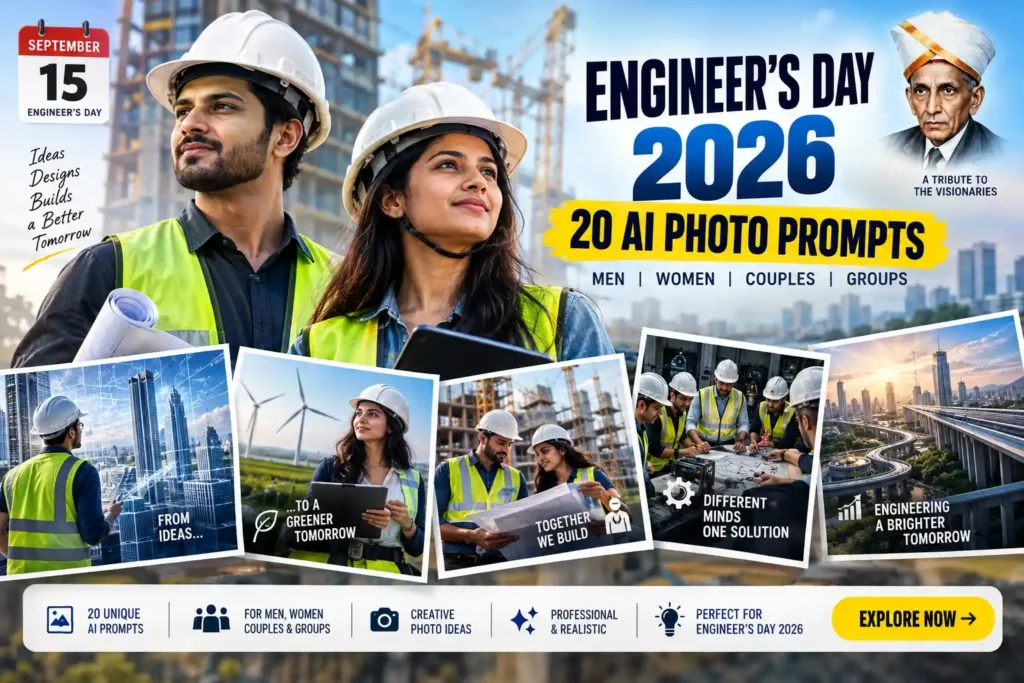
Engineer’s Day 2026 AI Photo Prompts – 20 Unique Photo Ideas

2026 New Year Prompt for Gemini: Complete Guide with Ready-to-Use Prompts

Top 10 Children’s Day 2025 Prompts for Mothers Celebrating Their Little Ones (DSLR Real-Photo Version)
Top 10 Children’s Day 2025 Prompts for Fathers Celebrating Their Little Ones
Top 10 Children’s Day 2025 Prompts (Ultra-Detailed, Magical & User-Photo Ready)
Top 10 Children’s Day Poster-Style Prompts (Landscape + Portrait) — 2025 Cinematic Master Collection
Copied!